Field Grouping
Group Manually
Suppose you already have a normal note with Picture, Sentence, and SentenceAudio fields like this:
Fields
Picture:
html
<img src="gochuumon_wa_usagi_desuka.mkv_957803.webp" />Sentence:
html
このお店に<b>貢献</b>するために―SentenceAudio:
html
[sound:Gochuumon wa Usagi Desuka S01E09 9092049A.mkv_955687.289_958481.289.mp3]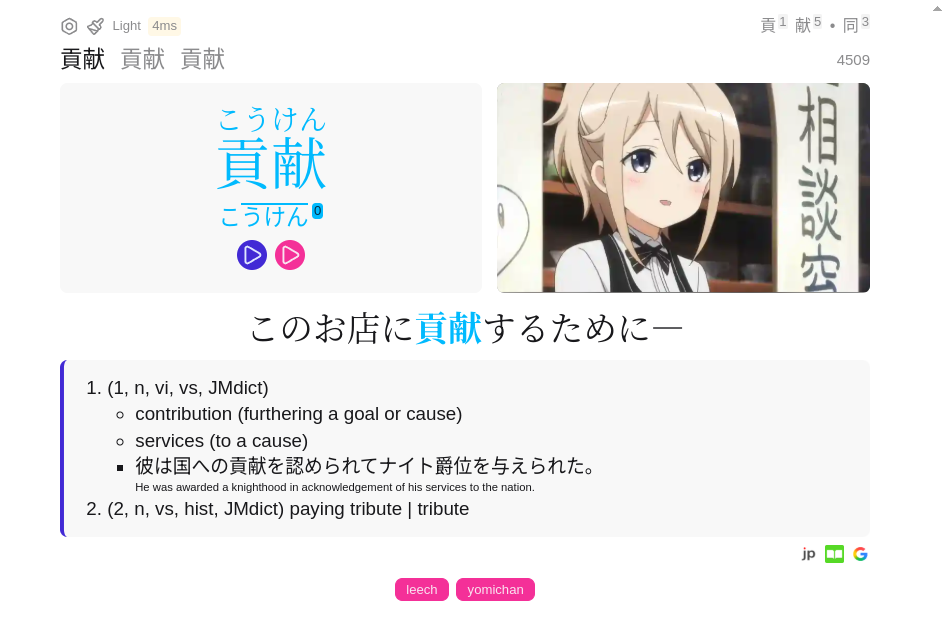
And you want to add a new Picture, Sentence, and SentenceAudio to the same note. Without grouping, it will look like this:
Fields
Picture:
html
<img src="Tate_no_Yuusha_no_NariagariS3-20.mkv_1190221.jpeg" />
<img src="gochuumon_wa_usagi_desuka.mkv_957803.webp" />
Sentence:
html
どうせ勇者の捕縛に<b>貢献</b>すれば➡
<br />
このお店に<b>貢献</b>するために―
SentenceAudio:
html
[sound:Tate no Yuusha no Nariagari S3 - 10.mkv_118779.mp3]
[sound:Gochuumon wa Usagi Desuka S01E09 9092049A.mkv_955687.289_958481.289.mp3]
The pictures will be paginated, while everything else will simply be appended.
Now, to group the fields together, all you need to do is add a data-group-id to the <img> tag, and wrap the new Sentence/SentenceAudio in a <span> with the same data-group-id.
Fields
Picture:
html
<img data-group-id="10" src="Tate_no_Yuusha_no_NariagariS3-20.mkv_1190221.jpeg" />
<img src="gochuumon_wa_usagi_desuka.mkv_957803.webp" />
Sentence:
html
<span data-group-id="10"> どうせ勇者の捕縛に<b>貢献</b>すれば➡ </span>
このお店に<b>貢献</b>するために―
SentenceAudio:
html
<span data-group-id="10"> [sound:Tate no Yuusha no Nariagari S3 - 10.mkv_118779.mp3] </span>
[sound:Gochuumon wa Usagi Desuka S01E09 9092049A.mkv_955687.289_958481.289.mp3]
More Info
- The
data-group-idvalue should be a positive integer. Kiku will sort them in descending order. - If
data-group-idis a Unix Timestamp between year 2000 and 2100, it will be displayed as a date. - Each unique
data-group-idwill create a new page. - Anything without a
data-group-idwill be shown on the same page. - SentenceFurigana, SentenceTranslation and MiscInfo fields will also be grouped.
Merge Context Button
You can use Kiku's Merge Context button to merge fields from 2 different notes into one. The button is available on the top left corner when you visit nested notes.
- AnkiConnect is required, and Prefer AnkiConnect must be enabled in the settings.
- Ungrouped fields from both notes will be grouped with their own NoteID as the
data-group-id. - Existing
data-group-idwill be preserved. - Picture, Sentence, SentenceFurigana, SentenceTranslation, SentenceAudio, MiscInfo and Tag will be merged.
- If either note has empty SentenceFurigana, the target note's SentenceFurigana will be updated as empty.
- Some special tags like
leech,marked,potential_leechwill not be added to the target note. - "Delete Root Note" option will be available when the root note is less than 1 day old. This option will delete the root note after merging.